
SolaceSolitaire
Hide SeekCard
4.71.18K Reviews
- Version
- 0.57
- Installs
- 500.00K
- Age Rating
- Everyone
Screenshots
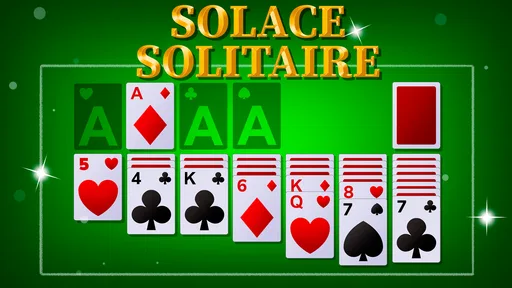
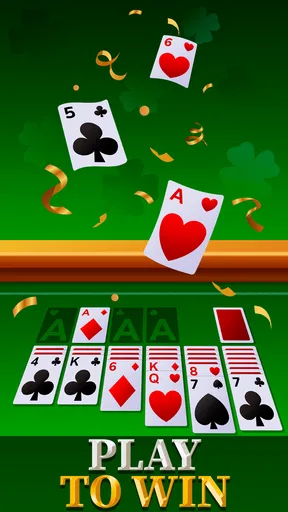
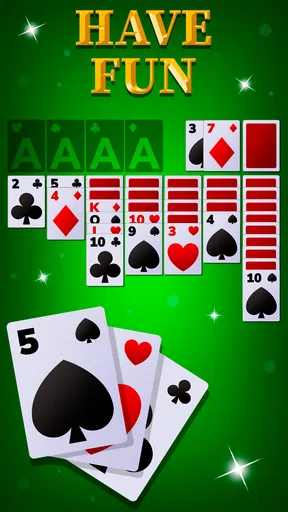
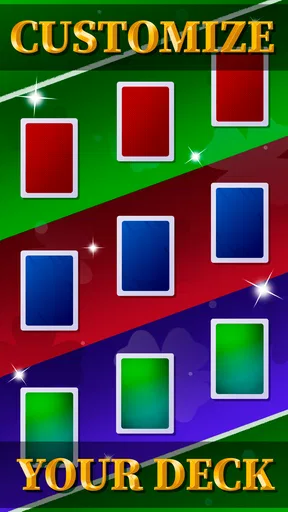
Our Review of SolaceSolitaire
 Analysis by Appyee
I keep coming back to SolaceSolitaire for one simple reason: it treats solitaire as a quiet, focused card game rather than a race to clear a board as quickly as possible. Its central appeal is the choice between a Prestige style and a Classic style, a small distinction that changes how the game feels from one session to the next. I found that especially useful when I wanted either a familiar round or something with a little more visual and emotional weight.
Developed by Hide Seek, this free card game is aimed at a broad audience and carries an Everyone age rating. It is available for devices running Android 6.0 or later, and the current version is 0.57. The game has built a strong audience, with more than 500 thousand installs, a 4.7 average from around 36 thousand ratings, and roughly 1.2 thousand written reviews. Those figures suggest that its calm, straightforward approach is connecting with many players, although popularity alone does not make every solitaire game a good fit for every person.
Why the Prestige and Classic choice matters
The most important capability here is not a complicated rule set or a large collection of modes. It is the ability to approach the same basic solitaire habit in two different moods. Classic is the natural starting point when I want the familiar card-table experience. Prestige is more appealing when I want the game to feel a little more considered and polished rather than purely functional.
That distinction matters because solitaire is often used in very different situations. Sometimes I open a card game to fill a short pause. At other times, I want ten or fifteen minutes without notifications, competition, or a demanding story to follow. A single presentation can feel wrong for one of those moments. The Classic option suits routine play, while Prestige gives the experience a stronger sense of occasion.
I would not describe this as a dramatic transformation of solitaire. The underlying attraction remains the same: arranging cards, spotting useful moves, and accepting that some rounds require patience rather than cleverness. What changes is the tone. The two styles make it easier to choose the kind of session I want before I begin, which is more useful than it may sound for a game designed around repetition.
The real strength is mood control, not complexity. Players expecting a deep strategy game with many distinct systems may find the concept restrained. Players who appreciate a familiar card activity that can feel either traditional or more refined will understand the appeal much faster.
How the two styles affect a normal session
In practice, I see the Classic style as the dependable option. It is the one I would choose when I do not want to learn anything, interpret a new presentation, or think about the game beyond the next legal move. That makes it suitable for a commute, a waiting room, or the few minutes before bed when I want something more engaging than scrolling but less demanding than a larger game.
Prestige works better when I want the session itself to feel intentional. I might choose it after finishing work, when I want a quiet transition before doing something else. It does not need to turn solitaire into an event; its value is that it gives the familiar activity a different atmosphere. For a game built around repeated rounds, that variation can help prevent the experience from feeling completely mechanical.
One useful habit is to choose the style before deciding how long to play. Classic is easier to treat as a quick utility game. Prestige encourages me to slow down and pay attention to the layout. This is not a rule imposed by the game, but it is a practical way to get more from the distinction instead of switching randomly and wondering why one session felt better than another.
The choice also helps when sharing the device with someone who has different expectations. One person may want the plain, recognizable version of solitaire, while another may prefer a more stylish presentation. Neither player has to commit to a different card app just to get a different feel. That flexibility is modest, but it is more meaningful here than a long list of superficial options would be.
What it feels like to use day to day
I think the best way to understand this game is as a small mental reset. It does not ask me to manage a campaign, compete with strangers, or remember a complicated progression system. I can start with a familiar card layout and concentrate on the immediate arrangement. That makes it a good companion for quiet breaks, especially when I want an activity with a clear beginning and end.
A realistic example is a lunch break when I have finished eating but still have a few minutes before returning to work. I would use Classic if I wanted a quick, uncomplicated round. If the break were longer and I wanted to disconnect more deliberately, I would choose Prestige and play without rushing. The important point is that the game supports both uses without forcing me to turn a short break into a major commitment.
It also works well as a screen activity for people who prefer predictable rules. A puzzle game may introduce new mechanics, while a competitive card game may create pressure to win. SolaceSolitaire stays closer to the familiar solitaire routine. That predictability is comforting, although it can also be the reason some players lose interest after several sessions.
I would recommend keeping expectations realistic about replay value. The Prestige and Classic choice changes the character of play, but it does not automatically create endless variety. If your enjoyment comes from experimenting with unusual decks, chasing elaborate objectives, or unlocking a large range of content, this may feel too focused. Its appeal comes from returning to a known activity and adjusting the atmosphere around it.
The best scenario for each kind of player
The strongest use case is quiet, low-pressure play. I would particularly suggest it to someone who wants solitaire without the noise of a broader mobile-game package. It is a good match for a person who opens a card game during short pauses, wants a familiar activity after a tiring day, or enjoys repeating a simple challenge while listening to something else.
Classic is the better choice for a practical routine. If you want to play a quick round while waiting for an appointment or sitting on public transport, its familiar identity makes it easy to start and stop. You do not need to build momentum through a story or remember where you left off in a larger game. The session can remain small and self-contained.
Prestige is better for players who care about presentation and atmosphere. I would choose it when the visual character of the game matters almost as much as the card decisions. This style is also useful for anyone who finds standard solitaire applications too plain but does not want to leave the genre entirely.
Families can also find it approachable because the age rating is Everyone and the concept is easy to recognize. Still, I would not confuse accessibility with universal appeal. Younger players looking for fast rewards may prefer a more animated card title, while experienced solitaire fans may want more control over rules and challenge settings. The broad age rating tells me it is suitable for general audiences, not that every age group will find it equally exciting.
Tradeoffs behind the simple design
The same focus that makes the game comfortable can make it feel limited. There is a clear advantage in not burying solitaire under menus, events, or competitive systems. On the other hand, players who need constant novelty may find that the two styles are not enough to sustain long sessions. I would treat this as a game for regular short visits rather than a title designed to occupy an entire evening.
Another tradeoff is between familiarity and customization. A traditional solitaire player may appreciate being able to settle into a known format, but may also expect detailed options for rules, card layouts, scoring, or difficulty. I would not choose this app solely because I want a highly configurable solitaire laboratory. Its strength is the focused experience created by the Classic and Prestige contrast, not an assumption that every preference can be adjusted.
The free price makes trying it easy, which is important for a game whose appeal depends heavily on personal taste. I can test both styles without treating the download as a major commitment. At the same time, free access does not guarantee that the experience will suit someone who dislikes repeated card rounds. The sensible approach is to judge it by how naturally one style fits your routine rather than by the size of the install base.
There is also a subtle attention tradeoff. Because the game is calm and familiar, it can be relaxing, but it may not hold my attention when I am looking for a strong challenge. I would pick it when I want to settle my mind, not when I need a game to provide excitement every few seconds. That makes it a poor substitute for a fast arcade title or a competitive multiplayer card game.
Practical ways to get more from it
My first tip is to use the styles deliberately instead of treating them as cosmetic buttons. Reserve Classic for short, functional sessions and Prestige for moments when you want to slow down. This creates a simple personal rhythm and makes the choice feel meaningful after the novelty wears off.
My second tip is to stop a session when the game has done its job. Solitaire can easily become background tapping, especially when I am tired. If I opened the game to clear my head, a short round may be more useful than continuing until the activity becomes automatic. The focused design works best when I use it as a break rather than an obligation.
A third useful approach is to compare the game with the alternatives you already know. If a standard solitaire app gives you everything you want and you prefer a purely traditional presentation, Classic may be enough, but Prestige is the reason to explore this particular title. If another card game keeps you engaged through challenges, competitive rankings, or a wider range of rules, that alternative may remain better for longer sessions.
I would also test it in the setting where I expect to use it most. A game that feels pleasant during a quiet evening may feel too slow during a brief wait. Conversely, a simple round that seems underwhelming at home may be exactly right when I need a low-effort distraction. The two styles give the app some flexibility, but the surrounding situation still determines whether it feels satisfying.
Who gains the most from the focused approach
The best audience is someone who already understands why solitaire remains appealing: the rules are familiar, the decisions are small but meaningful, and the game can occupy attention without demanding emotional investment. For that player, the Classic and Prestige options add a useful layer of choice without disturbing the basic comfort of the card format.
I would also recommend it to people who want a free card game for an Android device that is not built around a large learning curve. The support for Android 6.0 and later makes it relevant to users who are not carrying the newest phone, and the broad age rating makes it easy to consider for a shared household device. Those details do not change the gameplay, but they make the app practical for a wider range of everyday situations.
Players should skip it if they need a strong sense of progression, frequent surprises, or competitive pressure. I would point those users toward a more feature-heavy solitaire game or another card genre altogether. Likewise, if your ideal solitaire experience depends on extensive rule customization, you should compare alternatives before settling here. A clean, focused design is only an advantage when simplicity is what you want.
For me, the game succeeds because it understands that presentation can influence a repeated activity. The difference between Classic and Prestige is not a replacement for depth, but it gives me a practical way to match the game to my mood. That is a more honest selling point than pretending the app is something grander than a focused solitaire experience.
My recommendation after using it
I recommend SolaceSolitaire to anyone looking for a calm, free solitaire game with a choice between a familiar style and a more polished-feeling one. I especially like it for short breaks and quiet decompression, where the absence of pressure is a benefit rather than a weakness. The game is easy to understand, broadly accessible, and supported by a substantial player audience, while its 4.7 average indicates that many users are finding the approach worthwhile.
My reservation is equally clear: this is not the right pick if you measure value by the number of modes, advanced settings, or long-term reward systems. Its identity is narrower. That narrowness is exactly why I would keep it installed for casual card sessions, but it is also why I would not recommend it as the only game for a player who needs constant variety.
In the end, the Prestige and Classic capability gives this solitaire game a useful purpose beyond simply filling a screen with cards. Classic helps me settle into a familiar routine, while Prestige makes the same kind of play feel more deliberate. If that small but meaningful choice matches the way you use mobile games, I think this is worth trying. If you want spectacle or deep customization, choose a different card game; if you want a quiet companion that respects the simplicity of solitaire, Hide Seek’s creation is an easy one to recommend.
Verdict
Strengths of SolaceSolitaire
- Simple rules make it easy for beginners to start playing.
- Offline play lets you enjoy games without an internet connection.
- Short rounds fit well into quick breaks or commutes.
- Relaxing gameplay can help pass time without demanding attention.
- Clear card-focused design keeps the experience easy to follow.
Limitations of SolaceSolitaire
- Limited gameplay variety may feel repetitive after extended sessions.
- Ads may interrupt play, depending on the version and device.
- Some features may require in-app purchases or premium access.
- Players seeking multiplayer modes may find the experience too solitary.
- Performance can vary on older phones or tablets.
Other Releases by Hide Seek
View All
Ball Sort Puzzle
Casual4.7

SwordSlash
Arcade4.7
Similar Picks in This Category
View All
Solitaire - Classic Card Games
MobilityWare4.6

UNO!™
Mattel163 Limited4.3

Spider Solitaire: Card Games
MobilityWare4.6

Solitaire.com - Classic Cards
Tripledot Studios Limited4.7

Plants vs. Zombies™ Heroes
ELECTRONIC ARTS4.1

Hearthstone
Blizzard Entertainment, Inc.4.1
Frequently Asked Questions
What is SolaceSolitaire?
SolaceSolitaire is a solitaire-style card game designed for relaxing, focused play. It offers the familiar rules and turn-based structure associated with classic solitaire, while presenting the experience in a calm, streamlined format. Before downloading, users should check the store listing to confirm the supported solitaire variant, available features, device compatibility, and whether the current version matches their expectations.
Is SolaceSolitaire free to download and play?
SolaceSolitaire may be available as a free download, but the exact pricing model can depend on the platform and version. Some editions of card games include optional purchases, advertising, or premium upgrades, while others provide the complete experience without additional costs. Review the Google Play or App Store listing carefully for in-app purchase details before installing.
Does SolaceSolitaire work offline?
A solitaire game is generally well suited to offline play because its core gameplay does not require real-time multiplayer or constant communication with a server. However, certain features—such as advertisements, analytics, cloud synchronization, updates, or online leaderboards—may need an internet connection. It is best to verify the latest app description and test offline access after installation.
Is SolaceSolitaire suitable for beginners?
SolaceSolitaire should be approachable for beginners who already understand basic solitaire concepts, and it can also be a comfortable way to learn through repeated play. New users should look for features such as hints, undo controls, tutorials, or adjustable difficulty. Because available tools may vary by version, check the current feature list before downloading if guidance is important.
What devices support SolaceSolitaire, and what permissions does it require?
Support depends on the release available for Android or iOS, including the minimum operating-system version and device requirements. Before downloading, confirm that your phone or tablet is compatible and that sufficient storage is available. Also review the permissions and privacy information shown in the store listing, particularly if the app includes advertising, analytics, notifications, or optional account features.
Play our best games!


